-
 Nic
Nic - March 6, 2026

Webmail is a way to access, use, and manage email from a browser. Use it to securely access your email without needing to download additional email software. It can work across most devices with an internet connection, including PCs, Tablets, and Mobile devices.
All of our web hosting plans and all customers of those with reseller hosting have access to unlimited business email addresses, perfect for creating and managing multiple inboxes for your business
The following are common issues which may prevent access. Recently registered or transferred domains will take time to propagate, continue if you cannot access webmail through your domain.
On cPanel, the easiest way to access and log in to webmail is through your browser’s address bar. If you have already set up your domain name, this can be either https://yourdomain.tld/webmail or https://yourdomain.tld:2096.
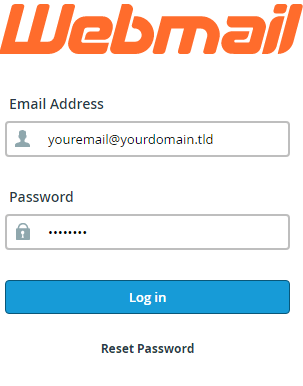
If you’re unable to access the mailbox through your domain, you can use the server’s hostname alongside either /webmail or :2096. The hostname for your server will be contained within your welcome email.
Access webmail from cPanel
As an admin user, cPanel lets you access email accounts directly. To do this, follow on from below.
1. Firstly, log in to cPanel.
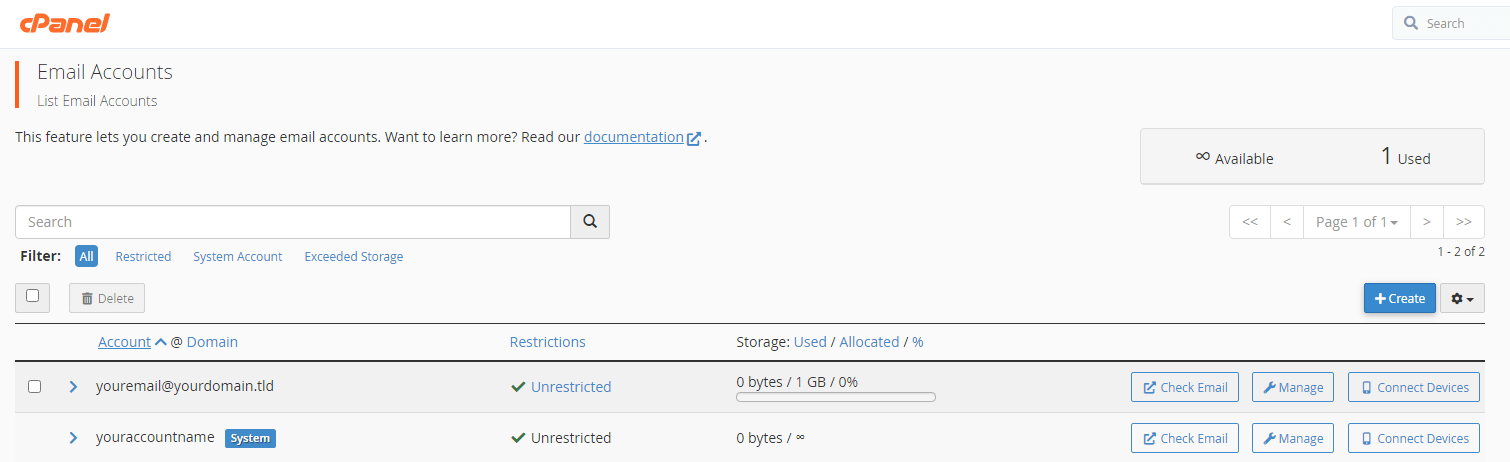
2. Under the email section, click “email accounts”.
3. Next to access webmail, click “check email”.
4. Afterward, choose your preferred client by clicking either horde or roundcube.
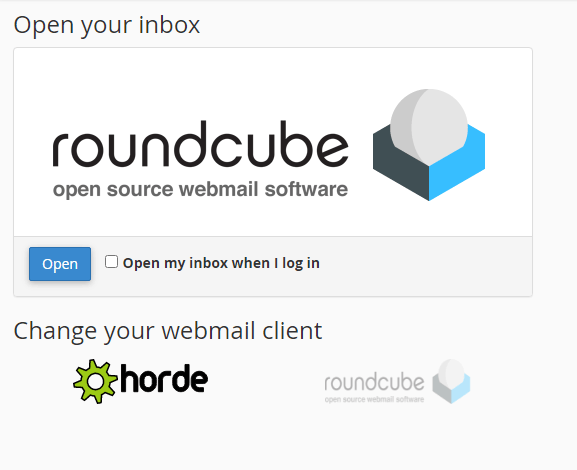
5. Finally, click “open” to be redirected to that mailbox.
6. Using any of the above methods allows you to securely access your mailbox quickly. However, it does lack the extended features provided by standalone email software.


Leave a comment